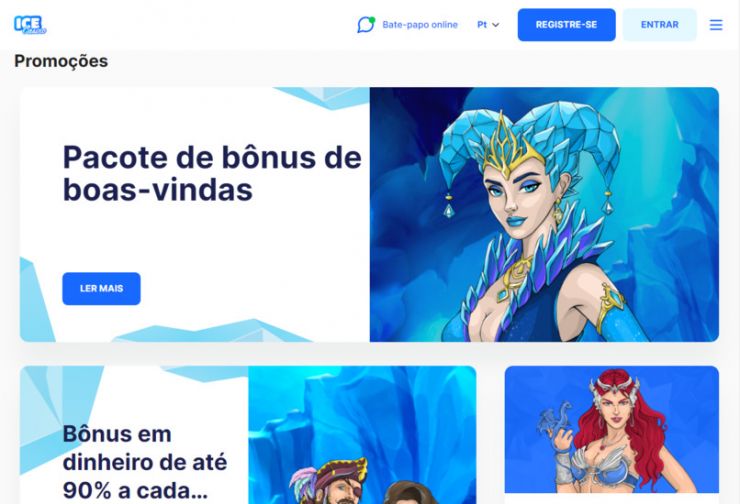
The Ice Casino mobile application is constructed to offer the same variety of games, payment methods, and account tools that appear on the desktop site, yet the way those functions are structured and accessed differs once a player switches to a phone or tablet https://icekaszino.org/sk2/app2/. Because Slovakia has a growing base of users who choose to play on the move, the app has been tailored for local network conditions and for the most common handset models sold in the region. Understanding its architecture, installation path, and performance profile enables a user to determine whether the mobile version meets their practical requirements before committing time to the download.
Device Requirements

The Ice Casino application is compiled separately for Android and iOS, and each build includes its own minimum operating-system version. On Android the installer works on devices running version 7.0 or later, which represents the majority of handsets currently in circulation in Slovakia. The package size at the time of writing is approximately 68 MB, but this figure can increase after the first launch when additional graphics and sound assets are cached. naša voľba Players should verify that at least 200 MB of free storage remains after installation because temporary files generated during gameplay can occupy additional space. On iOS the app demands version 13.0 or newer and is distributed exclusively through the Apple App Store, removing the need for manual certificate handling. Older iPads running iPadOS 12 or below will not obtain the update and must continue through the browser-based site. Screen-size compatibility begins 5 inches for phones and 7.7 inches for tablets. The interface uses responsive scaling so that button hit areas remain large enough for thumb navigation on smaller displays. Aspect ratios of 16:9, 18:9, and 19.5:9 are all supported without distortion, although users of foldable devices may experience a layout shift when the screen unfolds. Graphics settings can be decreased within the app menu to lower GPU load on entry-level chipsets such as the Snapdragon 660 or the MediaTek Helio G85, prolonging battery life during longer sessions. Additional optimisation layers recognize whether a device is running on a 60 Hz or 120 Hz panel and adjust frame delivery accordingly, preventing overheating on older models that lack advanced thermal throttling. Memory allocation routines reserve a fixed 120 MB buffer for live dealer streams, guaranteeing that concurrent chat and betting functions do not fight for resources when the player switches between portrait and landscape orientation.
Protective Measures and Account Security
The Ice Casino application encrypts all data in transit using TLS 1.3, the same protocol used by the desktop site. On Android the app runs inside a secure app sandbox and does not request root privileges, lowering the risk of privilege escalation attacks. iOS builds utilise Apple’s App Transport Security framework, which blocks clear-text HTTP requests at the operating-system level. Both versions support biometric authentication; once enabled, the player must provide a fingerprint or facial scan before any withdrawal request is processed. Session timeouts are set to fifteen minutes of inactivity, after which the app returns to the login screen. A user can adjust this interval in the security menu if they frequently play in public spaces. The app also logs the device model and approximate location at each login; these logs are accessible from the account page and can be used to identify unauthorised access attempts. If a login originates from a country outside the European Economic Area, an additional verification code is sent by SMS before the session is allowed to continue. Certificate pinning prevents man-in-the-middle interception even on compromised Wi-Fi networks, while a rolling key-exchange mechanism refreshes session tokens every four hours without requiring the player to re-authenticate. Failed login attempts trigger a temporary lockout that escalates from five minutes to twenty-four hours after the third consecutive failure, protecting accounts from brute-force attempts while still allowing legitimate users to regain access through the self-service password reset flow.
Setup Guide for Android and iOS
When starting the Android installation, the user needs to check that the device is running a supported operating-system version and that a stable internet connection is present. After the APK file completes downloading, the system shows a security prompt showing the permissions the app asks for: storage access for caching game assets, network access for real-time balance updates, and, optionally, push-notification access for promotional messages. Each permission may be checked and later revoked through the Android permission manager without affecting core gameplay functions. On iOS the installation is handled entirely by the App Store client. After tapping Get, Face ID or Touch ID authentication finishes the purchase step even though the app itself is free. The first launch initiates a short tutorial that demonstrates how to locate the cashier, switch between portrait and landscape modes, and enable biometric login. Both platforms keep credentials in the device keystore, meaning the player does not need to re-enter a password each time the app is opened, yet a six-digit PIN is configurable inside the security menu for extra protection. During the Android wizard, a progress bar shows the extraction of 14 separate asset bundles, each validated by SHA-256 before extraction proceeds, preventing partial installs that could cause crashes on first launch. iOS users see a similar verification step managed transparently by the operating system, after which the app configures its URL scheme so that external links from emails or SMS messages open directly inside the installed client rather than the browser.
Acquisition Channels and Geographic Access
Users based in Slovakia can acquire the Android package straight from the Ice Casino website by choosing the Android download button presented on the mobile landing page. The file has a unique checksum that can be verified through any standard hash calculator prior to installation. Because the app is not listed on the Google Play Store, the device has to permit installation from unknown sources; this toggle can be found under Settings, Security, or Apps on most Android skins. Once the toggle is enabled, the downloaded APK can be run and the installation wizard finishes in under thirty seconds on a mid-range handset. iOS users follow a shorter path as the app is hosted on the App Store. Looking for “Ice Casino” within the store displays the official listing; the download proceeds over Wi-Fi or mobile data based on the user’s App Store settings. Slovak Apple IDs encounter no region lock, yet the age rating of 18+ must be acknowledged during the first launch. If a player sees a “not available in your country” message, it often stems from an outdated App Store cache instead of an actual geo-block, and refreshing the account page resolves the issue in most cases. The website also hosts a mirror link that starts automatically when the primary download server experiences high traffic, making sure that users on slower rural connections can still retrieve the package without interruption. Regional availability is additionally verified by a lightweight geo-check performed at the landing page, which shows a green indicator for Slovakia and neighbouring EU states while displaying a short advisory message for territories outside the permitted licensing area.
Efficiency, Bandwidth, and Battery Impact
Connection measurements taken on a 4G LTE connection show that launching the lobby uses roughly 1.2 MB, while each minute of live dealer video uses between 3 MB and 4 MB according to the stream quality selected. Users can switch the video feed from HD to SD within the game settings to halve data usage when roaming on limited mobile plans. On Wi-Fi the app automatically defaults to the highest available resolution, but the setting persists across sessions so that users do not need to modify it repeatedly. CPU and GPU load remain modest on devices equipped with at least 3 GB of RAM. Battery drain is around 8 % per hour during continuous slot play at medium graphics settings, climbing to 14 % when live casino streams are active. The app adheres to Android’s Doze mode and iOS background refresh limits, suspending non-critical processes when the screen is off. This action prevents unexpected data or battery consumption while the phone is in a pocket or bag between spins. Additional diagnostics accessible from the settings menu present cumulative megabytes consumed since the last session reset, letting players to correlate usage spikes with specific game types. A low-data toggle further compresses reel animations and disables background music, reducing hourly consumption by an additional 25 % on networks that throttle after a daily threshold.
Core In-App Functions and Menu System
The main lobby of the Ice Casino app reflects the desktop layout but replaces hover-based menus with tap targets dimensioned for finger input. A persistent bottom navigation bar provides one-tap access to Lobby, Games, Promotions, Cashier, and Account sections. Swiping left or right within the Games tab rotates through categories such as Slots, Table Games, and Live Casino without reloading the entire screen, reducing data consumption on metered connections. Each game thumbnail presents the current RTP value when the information icon is tapped, allowing players to compare titles before loading. Account management tools feature deposit history, withdrawal requests, and two-factor authentication toggles. The cashier accepts the same payment rails available on the desktop site, including bank transfers, major debit and credit cards, and several e-wallets popular among Slovak users. Transaction limits are the same to the web version, yet the app introduces a quick-reorder function that repeats the last successful deposit amount with a single confirmation tap. Balance updates take place in real time through a secure websocket connection, eliminating the need to refresh the screen after a win or a bonus credit. The lobby also contains a search field that filters the entire catalogue by provider name or volatility level, producing results in under 300 milliseconds on a typical 4G connection. A dedicated favourites tray keeps up to 24 titles picked by the player, synced across devices through the same account so that a game selected on the phone is displayed at the top of the desktop lobby as well.
Differences Between App and Desktop Site
The mobile app skips certain administrative pages that are infrequently used during play, such as full responsible-gaming self-exclusion forms and detailed tax-report exports; these are available only on the desktop site. In contrast, the app introduces gesture-based controls that have no direct desktop equivalent, for example swiping down on a slot reel to trigger a quick spin or shaking the device to open the bonus-buy menu in selected titles. These shortcuts are documented inside the in-app help section and can be deactivated if a player finds them intrusive. Push notifications substitute for the email newsletters sent from the desktop platform. A player can opt to receive alerts for deposit bonuses, tournament start times, or large jackpot wins. The notification payload is limited to 120 characters to comply with Slovak data-protection expectations, and each message contains a deep link that opens the relevant screen inside the app. Desktop users who prefer not to install the app can still access the same promotions through any modern browser, but they will not receive the instant alerts that the mobile channel offers. Another contrast lies in the handling of multi-window mode on Android tablets: the app pauses live dealer video when split-screen is activated, conserving bandwidth, whereas the desktop site continues streaming in the background. Lastly, the mobile version surfaces a one-handed mode that shifts all controls to the lower third of the display, a feature unnecessary on larger desktop monitors yet liked by players who operate the phone while commuting.
After examining the technical specifications, installation paths, and performance characteristics outlined above, a Slovak player can make an educated decision about whether the Ice Casino mobile app aligns with their device capabilities and playing habits. The next concrete step is to visit the official download page at icekaszino.org/sk2/app2/, verify the checksum of the Android package or locate the iOS listing in the App Store, and complete the short installation process before the first session.